 Soundproof
Guide · How-to
How to Remove Fan & AC Noise from a Video on a Mac

You shot a video — a talking-head, a vlog, a screen recording, an interview — and on playback a fan or air conditioner hums under the whole thing. Re-shooting isn't an option, and bouncing the whole clip through Final Cut or Premiere just to fix the sound is a lot of work for one problem.
Good news: a steady fan or AC hum is the easiest kind of noise to remove, and you can clean the audio on your Mac without touching the picture or re-editing anything.
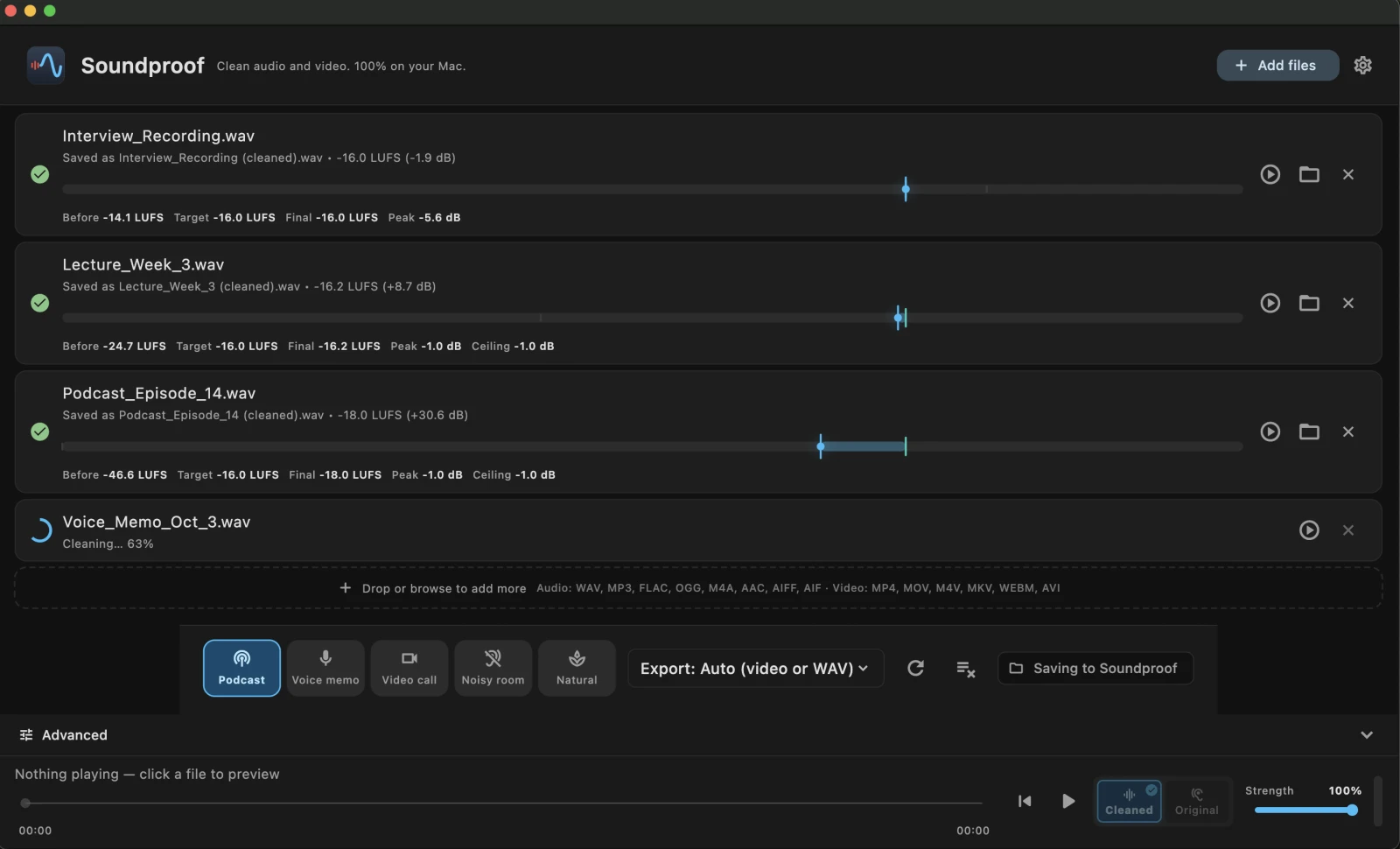
Drop your MP4, MOV or M4V into Soundproof. It cleans the audio track, leaves the video exactly as-is, and remuxes them back together — export a cleaned video, or just the cleaned audio. Steady fan/AC/hum comes out well; gusty wind and crowd noise are much harder.
Why video audio is often noisier than it looked
Camera and phone microphones sit far from your mouth and pick up the whole room. While you're filming you tune the fan out — but the mic doesn't, and on headphones later that steady whir sits under every word. The upside of "steady" is exactly what makes it removable: a constant hum has a predictable signature a model can learn and subtract, unlike unpredictable sounds.
The fast way: clean the audio, keep the picture
- Drop the video in. Drag your MP4, MOV or M4V onto Soundproof — talking-head, screen recording, interview or vlog. Drop a whole folder to batch a shoot.
- Preview, and hold to compare. Hear the cleaned audio, then hold to hear the original hum. Two seconds tells you if it worked.
- Adjust the strength. Start from a preset (Video call or Podcast) and nudge one slider — more removes more hum, less keeps the voice most natural.
- Export next to the original. Choose a cleaned video — same picture, quieter track — or just the cleaned audio as WAV, M4A or MP3. Your source file is never overwritten.
Because Soundproof remuxes rather than re-encodes, the video stream is bit-for-bit identical — no quality loss, no long export, and nothing to redo in a video editor.
The alternative is to re-edit. iMovie’s own noise-reduction control can help a little on mild noise, and Final Cut and DaVinci Resolve both ship denoisers — but all of them mean re-exporting the video, which re-encodes the picture and costs you a generation of quality for a problem that only exists in the audio track.
Cleaning the video file itself means every downstream copy — the upload, the transcript, the social cut-down — inherits the clean audio. You don't have to fix the noise separately on each platform.
What it removes well — and what it won't
✓ Removes reliably
- Air-conditioning and fan hum
- Laptop and computer fans
- Mains hum and electrical buzz
- Steady room tone and hiss
~ Results vary
- Gusty wind buffeting (not steady)
- Traffic, crowds and background voices
- Music playing under the voice
- Heavy echo in a large room
The common surprise is wind: outdoor clips often have gusty wind, which isn't steady, so results vary. Indoor fan and AC hum is the sweet spot. For the full breakdown, see what noise can (and can't) be removed.
Scrub to a quiet moment in the clip and listen. A constant hum or whir removes cleanly. If you mostly hear wind gusts or people talking, that's the harder case — clean what you can and set expectations.
Cleaning a whole shoot
If you filmed a batch — multiple takes, a series of clips, a folder of screen recordings — drop the whole folder in and Soundproof cleans each one in a single pass, writing a cleaned copy next to every original.
For the curious: the remux step is a standard container operation, the same one FFmpeg performs with a stream copy. The video stream is copied across bit for bit — it is never decoded and re-encoded — which is why the picture is identical and why the step takes seconds rather than minutes.
Quieter video, same picture
Soundproof cleans the audio in your video and remuxes it back — entirely on your Mac, no re-editing, nothing uploaded. Download it free and clean your own clips first.


macOS 13.4+ · Apple Silicon & Intel · Works offline · One-time purchase, no subscription
Frequently asked questions
Does it re-encode or lower my video quality?
No. Soundproof cleans the audio and remuxes it back into the file, so the video stream is untouched — no quality loss and no slow re-export. Same picture, quieter track.
Which video formats can I use?
Drop in MP4, MOV or M4V. You can export the cleaned video, or just the cleaned audio as WAV, M4A or MP3.
Can it remove wind noise?
Steady noise like fan and AC hum removes well. Wind is gusty and unpredictable rather than steady, so results vary — Soundproof is most reliable on constant hum, buzz and hiss.
Do I need a video editor like Final Cut or Premiere?
No. Drop the file in and export a cleaned video directly. And nothing is uploaded — it all runs on your Mac.
Will it fix audio recorded far from the camera?
It removes the steady room, fan and AC noise, but it can't recover detail a distant microphone never captured. A closer mic still sounds better — Soundproof cleans up what you have.